Subscriptions can keep charging after you meant to review them.
Add dates for streaming, gym memberships and app subscriptions. Onremind reminds you before trials, renewals and billing dates, so you can choose what to keep before the next charge lands.
Track all your renewal dates for free — add as many as you need.
Subscriptions we help protect
How Onremind works
- 1
Add the renewal date
Enter when your policy renews.
- 2
We track the countdown
Onremind keeps watch in the background.
- 3
We remind you early
You get warning before the date arrives.
- 4
You choose what to do
Review, cancel, negotiate, switch or stay.
- 5
Log the result
Record what happened and what you avoided.
Onremind protects your moment to choose.
Get reminded early
We remind you in good time, so you have time to act.
Review while there is still time
Check, decide and act before the price, rate, payment or terms may change.
Privacy first
We never access your bank or personal accounts.
Independent reminder system
Onremind is impartial and not affiliated to any provider.
How subscription renewals typically work
Subscriptions are easy to leave running because the payments feel small. The renewal date still arrives, and the payment can continue before you have reviewed whether you still need it.
How a subscription renewal works
1.A subscription starts
Streaming, gym and app subscriptions often continue until you cancel them.
2.The renewal date approaches
Before the next payment date, you may need time to review whether you still use it.
3.The payment may continue
If you do not cancel or change it before the date, the next payment can be taken.
4.The date passes
Once the renewal date has passed, the subscription can continue into the next billing period.
The problem is not awareness.
It is timing.
How Onremind protects the window before the price changes.
Add the date once. Onremind tracks the countdown, reminds you early, and gives you time to review, negotiate, cancel, switch or stay before the renewal date arrives.
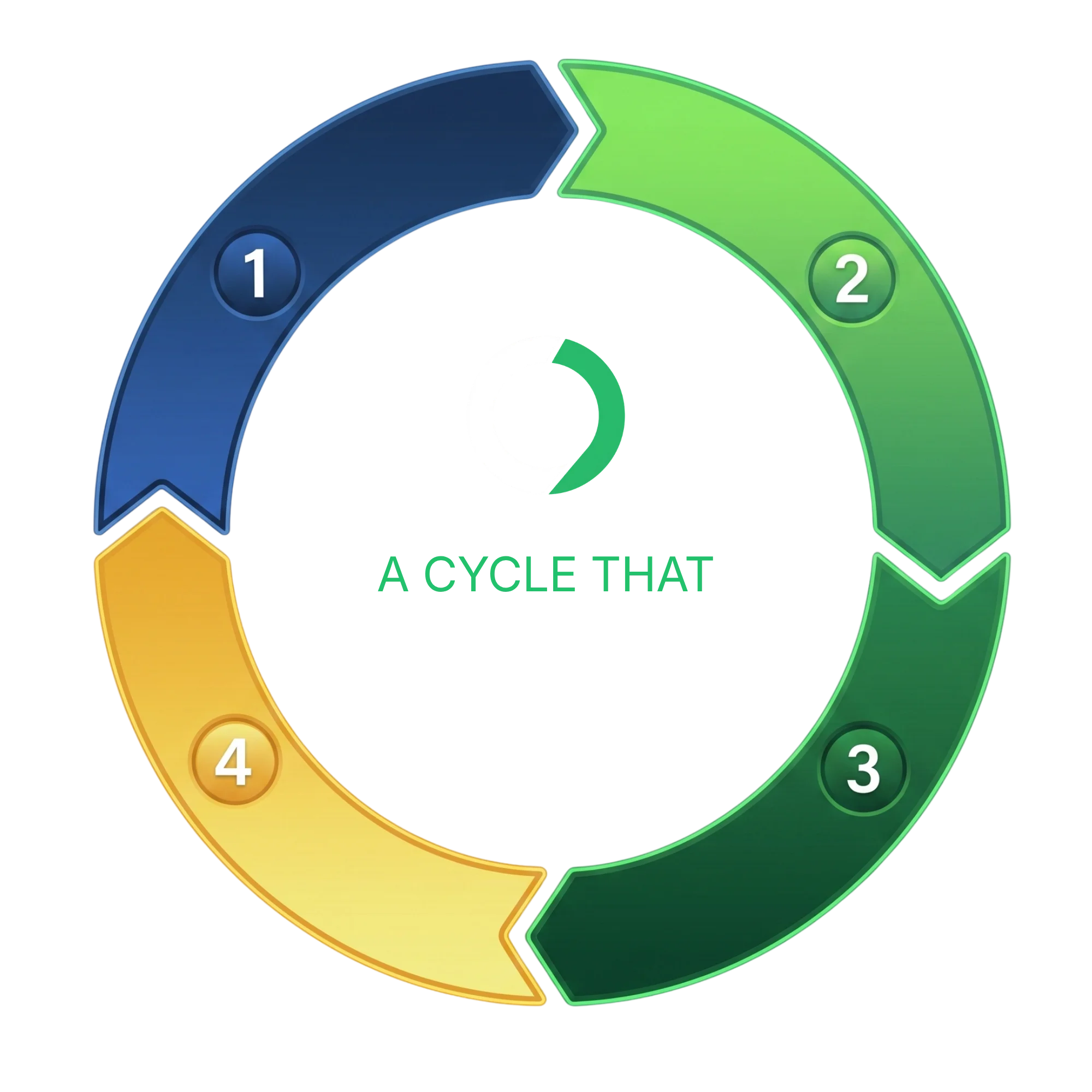
Set the date
Add the renewal, expiry or contract-end date once.
Onremind keeps watch
Sit back. We quietly track the countdown for you.
Reminders during the action window
We remind you while there's still time to review and decide.
The date arrives
The renewal, expiry or contract-end date is reached.
Then the cycle begins again.
- 01
Set the date
Add the renewal, expiry or contract-end date once.
- 02
Onremind keeps watch
Sit back. We quietly track the countdown for you.
- 03
Reminders during the action window
We remind you while there's still time to review and decide.
- 04
The date arrives
The renewal, expiry or contract-end date is reached.
Then the cycle begins again.
- 01
Set the date
Add the renewal, expiry or contract-end date once.
- 02
Onremind keeps watch
Sit back. We quietly track the countdown for you.
- 03
Reminders during the action window
We remind you while there's still time to review and decide.
- 04
The date arrives
The renewal, expiry or contract-end date is reached.
Then the cycle begins again.
Onremind protects the time before the price changes — not after.
The renewal date is the trigger. The renewal action window is the time Onremind protects.
SUBSCRIPTION FAQS
Questions before you add a subscription renewal date
A few clear answers about how Onremind works for streaming, gym and app subscription renewals.
Subscription renewal guidance
Clear reports, guides and updates for the moments before streaming, gym and app subscriptions renew or continue into another billing period.
Reports
Longer reads on renewal prices, market conditions and what to check before the date arrives.
Streaming Renewal Price Report 2026
July 2026
Research on streaming subscription renewal pricing and mid-contract rises.
Gym Membership Renewal Report 2026
July 2026
Research on gym membership renewals, notice periods and payment cycles.
App Subscription Renewal Report 2026
July 2026
Research on app subscription auto-renewals and what users should check.
Guides
Practical checks to make before a deal, tariff or subscription rolls on.
What to check before a streaming subscription renews
July 2026
What to review before your streaming subscription auto-renews.
What to check before a gym membership renews
July 2026
What to review before your gym membership rolls over or renews.
What to check before an app subscription renews
July 2026
What to review before an app subscription auto-renews and charges again.
Updates
Recent regulator and market developments relevant to upcoming renewal dates.
App subscription auto-renew: what to check before you're charged again
January 2026
App subscriptions can auto-renew quietly through Apple or Google. Here is what to check before the next charge.
Gym membership renewal cooling-off and notice: what to check
January 2026
Gym membership renewals can involve notice periods, fixed terms and cooling-off questions. Here is what to check before the next payment date.
Streaming price rises: what to check before your subscription renews
January 2026
Streaming subscriptions can rise in price and renew quietly. Here is what to check before the next payment date.